
There is no shortage of SEO and digital marketing software and tools available. Some platforms promise to do everything, while others solve one very specific problem.
Over the years, I’ve tried plenty of them. Some have become a regular part of my work, while others have been quietly forgotten about once the free trial ended.
These are the tools I currently find most useful when researching keywords, monitoring performance, reporting results and managing digital projects.
JaySearch
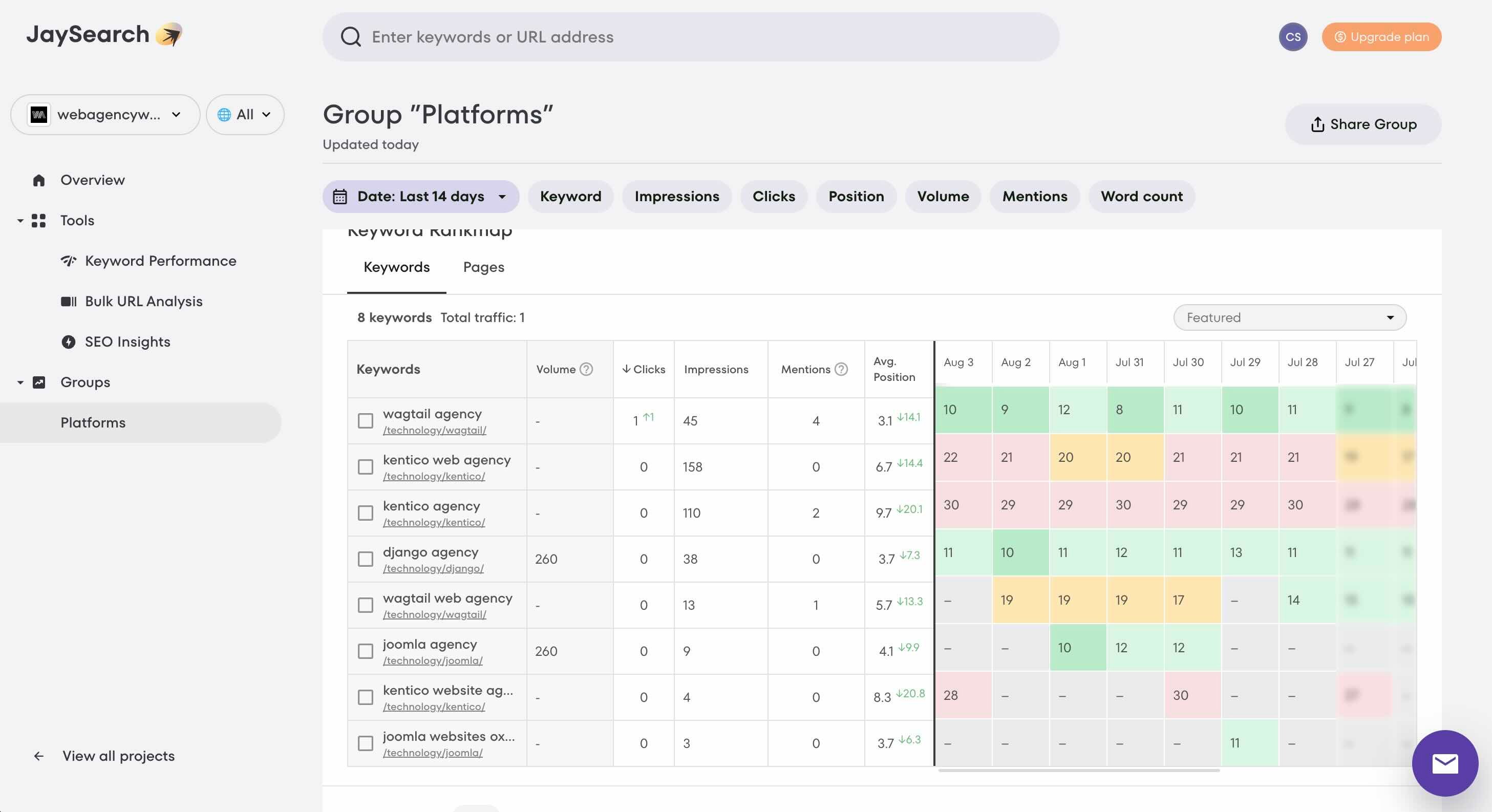
I recommend clients use JaySearch to track, for free, up to 25 keywords.
It connects to Google Search Console and presents keyword and ranking data in a much more accessible format. It is particularly useful for identifying the search terms a website already appears for, monitoring changes and spotting opportunities that might otherwise be buried inside Search Console.
The free Starter plan is generous enough for a small website. At the time of writing, it includes:
- One project
- Up to 25 tracked keywords
- Up to 10 tracked pages
- Up to 30 days of ranking history
- Limited SEO insights
- Ranking data refreshed when you log in
JaySearch pulls its ranking information from Google Search Console rather than estimating positions independently.
It won’t replace a comprehensive SEO platform for me, but it is a useful option for small businesses, website owners or anyone wanting a clearer view of their organic search visibility without immediately committing to another paid subscription.
SE Ranking
SE Ranking is my main paid SEO platform.
I use it for keyword research, rank tracking, competitor analysis, backlink data, website audits and reporting. Having all of this information within one platform makes it easier to move from initial research to recommendations and ongoing measurement.
The website audit is particularly helpful for identifying technical issues across larger websites. I don’t blindly follow every recommendation produced by an automated audit, but it provides a solid starting point and helps highlight areas that need further investigation.
SE Ranking also includes competitor research, on-page analysis, page-change monitoring and automated reporting.
As with any SEO platform, the data needs interpretation. A tool can tell you that a keyword has search volume or that a page contains a technical issue, but it can’t always tell you whether addressing it is commercially important.
That is where experience and a proper understanding of the organisation still matter.
Google Search Console
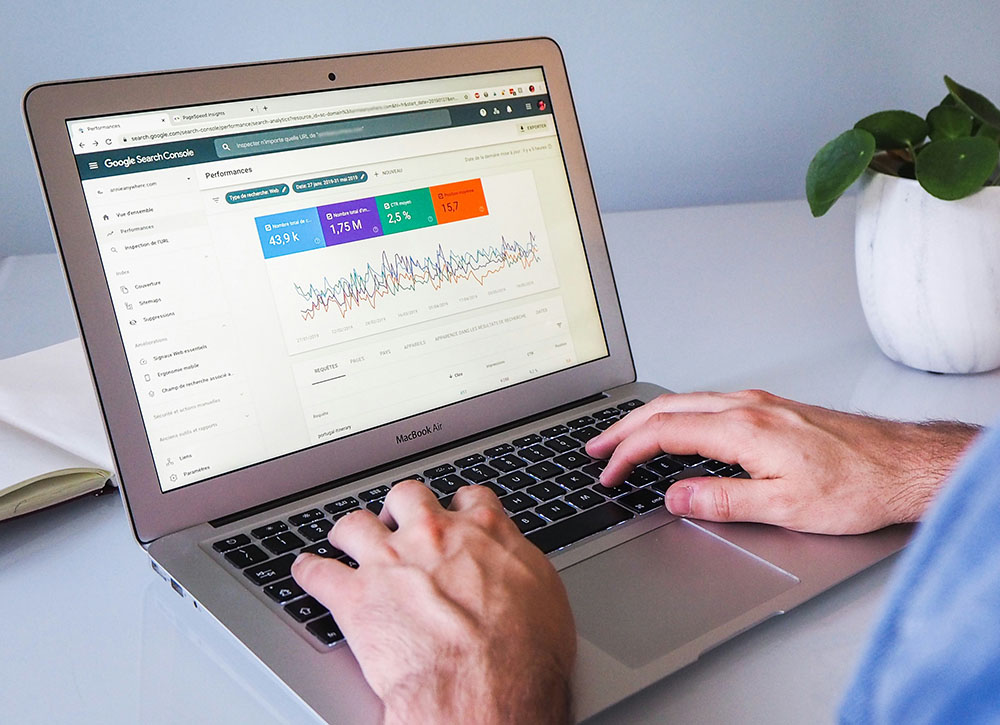
Google Search Console is essential for almost every SEO project I work on.
It shows how Google sees and interacts with a website, including:
- Which search queries generate impressions and clicks
- Which pages receive organic visibility
- Average search positions
- Click-through rates
- Indexing problems
- Sitemap status
- Mobile usability and page experience issues
Because the performance information comes directly from Google, it is one of the most valuable sources of organic search data available.
I normally configure Search Console early in a project. It helps establish a baseline, identify immediate problems and measure whether the work completed is having the intended effect.
It is also completely free.
Google Data Studio
Data Studio allows me to turn data from different sources into a single reporting dashboard.
Rather than asking clients to log in to several platforms, I can bring together information from Google Search Console, Google Analytics and other marketing tools.
The result is a dashboard focused on the measures that matter to the organisation, rather than overwhelming people with every metric available.
Reports can be made interactive, shared with clients and updated automatically through built-in or third-party data connectors.
A good dashboard should make performance easier to understand. It shouldn’t simply reproduce hundreds of charts because the data happens to be available.
Google Analytics 4
Google Analytics 4 helps me understand what happens after someone arrives on a website.
Search Console tells me how people found the site through Google. GA4 helps show what they did next.
I use it to review:
- Traffic sources
- Landing-page performance
- User journeys
- Engagement
- Form submissions
- Downloads
- Ecommerce activity
- Other important events and conversions
GA4 uses events to record interactions, with particularly important actions identified and reported as key events.
It isn’t always the easiest platform to configure or explain, and privacy choices mean analytics data will never represent every visitor perfectly. However, when it is set up properly, it remains an important part of measuring digital performance.
SEO Review Tools keyword density checker
I don’t optimise content towards a fixed keyword-density percentage. That approach belongs to a much older and less sophisticated version of SEO.
However, the SEO Review Tools keyword density checker is still useful for quickly reviewing how words and phrases are being used across a page.
You can enter a webpage address or paste in some text, and the tool identifies frequently used one-, two- and three-word phrases.
I mainly use it to spot:
- Accidental repetition
- Important phrases that barely appear
- Content that may be over-optimised
- The terminology used by competing pages
- Whether the main subject of a page is genuinely clear
It is a sense check, not a formula for writing content.
Content should still be written naturally for people first.
TinyPNG
Large images remain one of the most common and avoidable causes of slow website pages.
TinyPNG is a simple online tool that compresses images before they are uploaded to a website. Despite the name, it currently supports formats including PNG, JPEG, WebP and AVIF.
I like it because it is quick, easy to explain to clients and normally reduces file sizes without creating an obvious loss of visual quality.
Compressing images can help improve:
- Page-loading speed
- Mobile user experience
- Core Web Vitals
- SEO performance
- Bandwidth and energy usage
It is a tiny task that can make a surprisingly large difference, particularly on image-heavy pages.
ClickUp
ClickUp is primarily my project-management tool, but I use it for much more than creating tasks and managing deadlines.
It provides a central place for project documentation, decisions, meeting notes, briefs, actions and progress updates.
ClickUp Docs are useful for project briefs and supporting documentation, while Whiteboards help map website structures, user journeys, ideas and processes. Whiteboard content can also be turned directly into tasks and linked documentation.
I also use ClickUp Clips to record short screen videos. These are helpful when demonstrating a website issue, explaining a recommendation or showing a client how to complete something without arranging another meeting.
Keeping tasks, documentation and explanations together makes projects easier to manage and creates a useful record that clients can return to later.
Tools support the work
These tools save me time, highlight opportunities and help communicate performance more clearly.
But none of them does the actual thinking.
SEO and digital marketing still require judgement. You need to understand the organisation, its audience, its priorities and what it is trying to achieve.
The best tool is rarely the one with the longest list of features. It is the one that helps you make a better decision or complete a useful piece of work more effectively.
And not forgetting various AI tools - but hopefully you're already aware of the options available in this field.
If you need a hand with selecting or setting up your own tools, even exploring how AI can streamline your processes, please get in touch, I offer consultancy on digital transformation projects of this nature.